Jabra Logo
Jabra Logo

开始使用您的产品

支持资源

文件

Loading component...

常见问题

Loading component...

固件和软件

Loading component...

最新版本说明

Loading component...

查找序列号

在检查保修之前,请查找您的产品序列号。

联系 Jabra 支持

视频

  • 如何

    连接麦克风 / 全向麦

  • 如何

    连接两个 Speak2 75 设备

  • 如何

    麦克风 / 全向麦的位置

  • 如何

    让麦克风 / 全向麦发挥更大作用

在 Youku 上查找更多视频

保修检查

查看产品的保修范围

Jabra ServiceNet

在我们的在线自助服务门户中管理保修更换和退货事宜

保修条款

阅读我们的商业产品保修和服务信息

产品注册

将 Jabra 的新闻、优惠和技巧直接发送到您的收件箱

附件

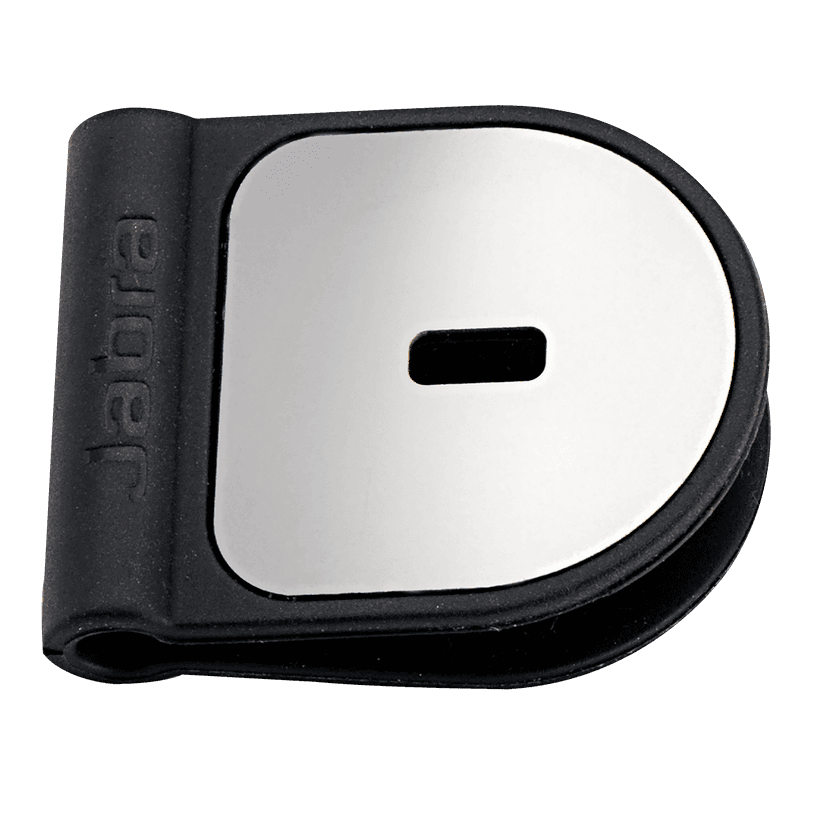
  • Jabra Kensington 安全锁适配器

    x xxx,xx xx(x xxx,xx xx x xxx xxx)
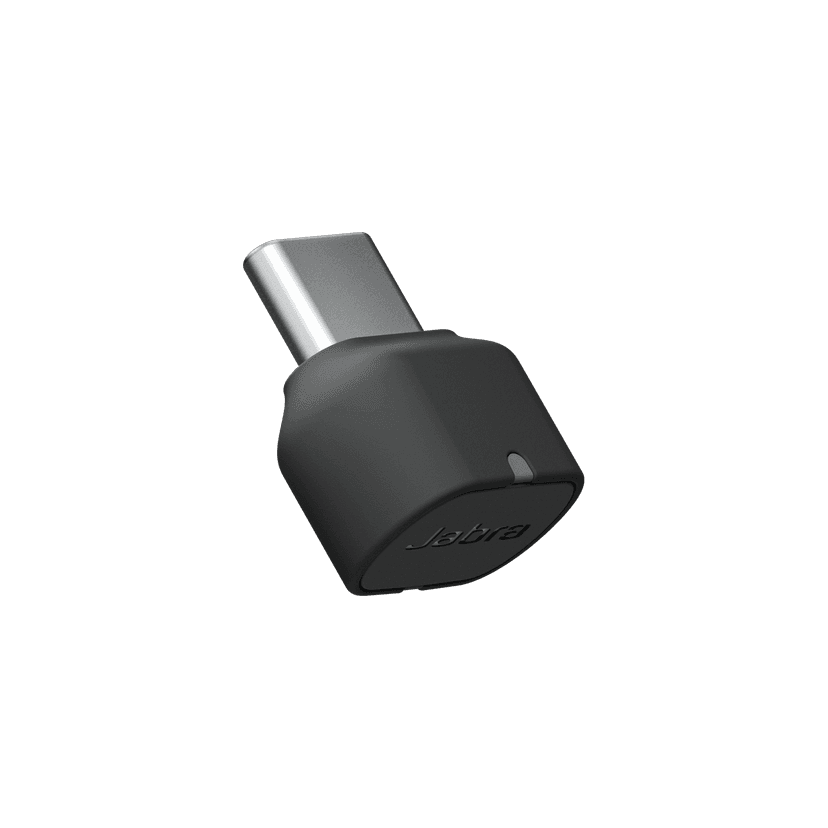
  • Jabra Link 380c UC - USB-C - Bluetooth Adapter

    x xxx,xx xx(x xxx,xx xx x xxx xxx)
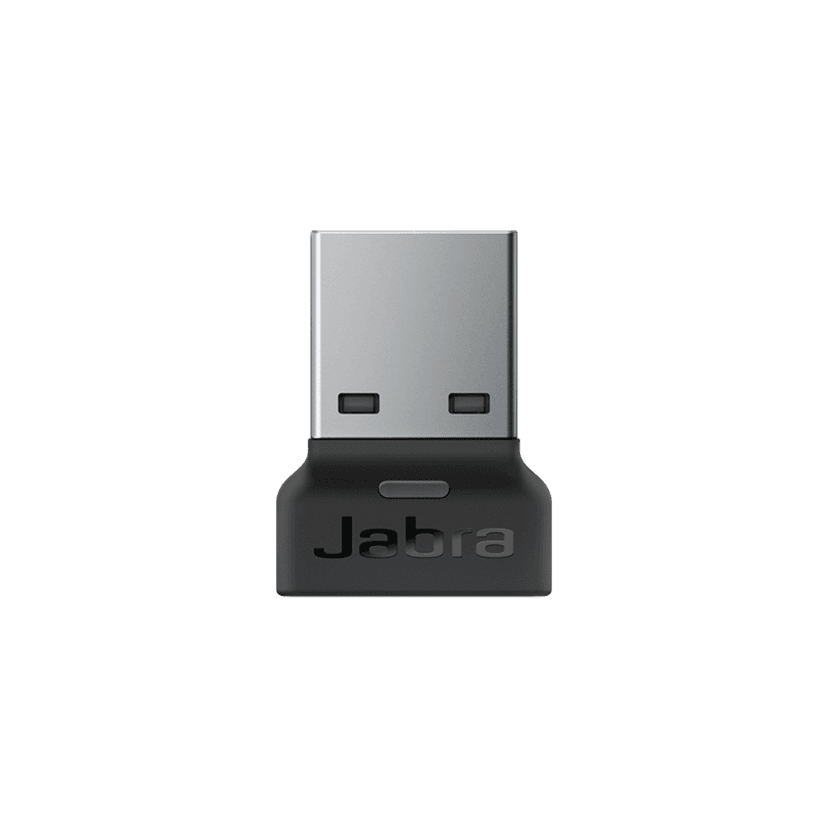
  • Jabra Link 380a UC - USB-A - Bluetooth Adapter

    x xxx,xx xx(x xxx,xx xx x xxx xxx)
  • Jabra Speak2 75 专用固定支架

    x xxx,xx xx(x xxx,xx xx x xxx xxx)
  • Jabra Link 380c MS Teams USB-C (Bluetooth Adapter for Speak2)

    x xxx,xx xx(x xxx,xx xx x xxx xxx)
  • Jabra Link 380a MS Teams USB-A (Bluetooth Adapter for Speak2)

    x xxx,xx xx(x xxx,xx xx x xxx xxx)

本产品与下列设备或系统兼容

  • 软件电话:


    兼容

  • 手机/平板电脑:


    兼容

  • 桌面电话:


    不兼容

  • 兼容性指南


    查找适合您设备的耳麦 / 耳机

  1. Jabra Speak2 75

关于我们

  • 我们的故事
  • 人才招聘
  • 可持续理念
  • 新闻和新闻稿
  • Jabra 博客
  • 案例研究
  • 我们的故事
  • 人才招聘
  • 可持续理念
  • 新闻和新闻稿
  • Jabra 博客
  • 案例研究

支持资源

  • 产品支持
  • 用户手册
  • 蓝牙配对指南
  • 兼容性指南
  • 操作视频
  • 附件
  • 识别您的产品
  • 自助维修
  • 产品支持
  • 用户手册
  • 蓝牙配对指南
  • 兼容性指南
  • 操作视频
  • 附件
  • 识别您的产品
  • 自助维修

常见问题

  • 一款好的 Skype 专用耳机是怎样的?
  • 一款好的 iPhone 专用耳机是怎样的?
  • 蓝牙耳机安全吗?
  • 一款好的 Skype 专用耳机是怎样的?
  • 一款好的 iPhone 专用耳机是怎样的?
  • 蓝牙耳机安全吗?

联系我们

  • 联系 Jabra 销售团队
  • 在线订单
  • 注册您的产品
  • 成为经销商
  • 企业寿命终止政策
  • 开发者计划
  • 联系 Jabra 销售团队
  • 在线订单
  • 注册您的产品
  • 成为经销商
  • 企业寿命终止政策
  • 开发者计划
GN logo
  • 沪ICP备2021004422号-1
  • 沪公安备案 31011202007076号
  • 商标
  • Cookie 政策
  • 符合性声明
  • 隐私政策
  • 安全与警告
  • 安全中心
  • 开源许可证
文件
技术规格
语言
  • 英语英语
  • 简体中文简体中文
  • 丹麦语丹麦语
  • 德语德语
  • 西班牙语西班牙语
  • 法语法语
  • 日语日语
  • 荷兰语荷兰语
类型
pdf
尺寸
277.1 KB
下载
文件
如何连接两个全向麦
语言
  • 英语英语
  • 简体中文简体中文
类型
pdf
尺寸
581.8 KB
下载
  • 所有类别
如何连接两个 Jabra Speak2 75 全向麦?
如何使用 Jabra 全向麦与 Microsoft Teams 交互?
Microsoft Teams 认证设备与统一通信型号之间有何不同?
如何将 Jabra Speak Speak2 与移动设备配对?
如何使用 USB 线缆将 Jabra Speak2 75 与我的电脑连接起来?
显示 5 / 83
文件
Jabra Direct
平台
macOS
语言
英语英语
发布日期
2026/02/12
版本
6.27.03702
下载
发布说明
文件
Jabra Direct
平台
Windows
语言
英语英语
发布日期
2026/02/12
版本
6.27.03702
下载
发布说明
  • 发布日期:

    三月份 11, 2026
    发布版本:2.54.0

    New Features:

    • Soft start – Speak2 75 will now operate at a very low battery level.
      • When operating at a very low battery level, maximum volume will be limited. This also applies if linked to another Speak2 75, and one unit is at a very low battery level; maximum volume will be limited on both units.
      • If trying to increase the volume at a very low battery level, the battery indicator will illuminate in red.
    • Deep sleep mode for new units arriving with this firmware out of the box. To activate the unit, simply connect it via the USB cable.
      • The unit only needs to be activated the first time out of the box.
      • This helps prevent units from potentially being unboxed in a deeply discharged state.

    Updated:

    • Faster charging at a very low battery level.

    Fixed:

    • Could be stuck in Standby mode instead of Sleep mode.
  • 发布日期:

    一月份 23, 2025
    发布版本:2.46.0

    New Features:

    • Added support for device linking to an additional Jabra Speak2 75
      •  For further details click here

    Updated:

    • Smart button functionality now includes device linking

    Fixed:

    • An issue with mute synchronization in Microsoft Teams on macOS
    • An issue with the "On Hold" feature not to work in Microsoft Teams on macOS

    Minor performance and stability improvements

    Public release note edited on January 23, 2025

  • 发布日期:

    十月份 09, 2024
    发布版本:1.3.4
    • Minor performance and stability improvements
  • 发布日期:

    八月 10, 2023
    发布版本:1.2.3

    Details

    • Updated: Sleep mode has been changed to default off
    • Updated: microphone performance 
    • Fixed: the UC variant in rare cases would not enumerate as Speakerphone on the OS 
    • Performance and stability improvements

  • 发布日期:

    五月份 19, 2023
    发布版本:1.1.6

    Details

    • Updated: audio quality in certain scenarios of multi call handling 
    • Fixed: battery status not reported when battery level was low 
    • Fixed: battery button stays on in idle mode when running on battery 
    • Fixed: battery shows charging when not connected via USB 
    • Fixed: could not power on if battery was empty and connected to a USB port 
    • Fixed: wrong LED statement if turning of the unit and voice prompts are not enabled 
    • Performance and stability improvements

  • 发布日期:

    三月份 16, 2023
    发布版本:1.0.1

    Details

    • First public release
完整的发布历史